
Best Practice Support (BP Premier) for Clinics
Rend provides Best Practice support for clinics in Sydney, Melbourne and across Australia. We help practices set up BP Premier so it’s reliable in the areas that matter most: appointments, billing, claims, recalls and reporting. When BP Premier is slow or inconsistent, it usually shows up at reception first. We focus on reducing day-to-day friction for staff, improving performance during peak periods, and making sure the wider clinic IT environment supports BP rather than getting in the way.
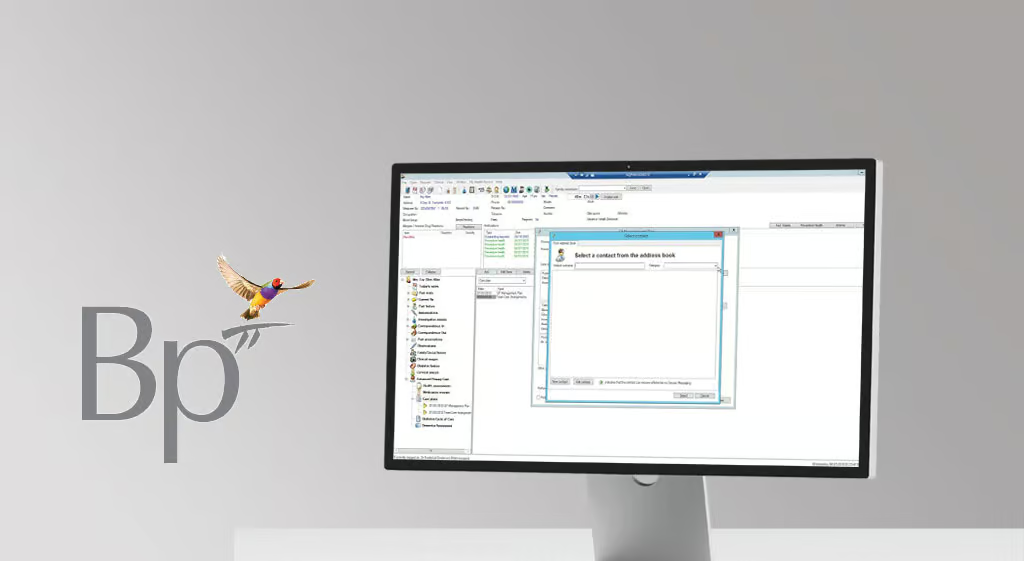

Best Practice Cloud Hosting & Server Solutions
BP Premier performance is heavily influenced by the clinic environment around it. We stabilise the practical dependencies that affect speed and uptime, including network and Wi-Fi reliability, workstation consistency, printer/scanner setup, user access, and remote connectivity.
This isn’t just technical housekeeping. It’s what prevents queue build-ups at reception, stops billing from falling behind, and keeps workflows consistent across staff members and rooms.
This isn’t just technical housekeeping. It’s what prevents queue build-ups at reception, stops billing from falling behind, and keeps workflows consistent across staff members and rooms.
Build AWS with governance and recovery in mind
Get a secure design and a clear cost-control approach.
Get Started
BP Premier setup that reduces repeat admin
Good support starts with clean configuration. We help standardise appointment types, billing and claiming workflows, recalls, reporting, and user roles so your team isn’t relying on workarounds or “tribal knowledge.” That means fewer repeat errors, more predictable handover between team members, and smoother onboarding when staff change. We also look for the small setup issues that create big ongoing costs, like inconsistent fee rules, recall processes that aren’t followed, or reporting that leadership doesn’t trust.

Stable integrations that don’t break after changes
Most clinics run BP Premier alongside online bookings, SMS/messaging, payments, forms, and other add-ons. When these integrations aren’t deployed consistently, they become a common source of “it worked yesterday” failures. We help keep integrations stable by standardising configuration, permissions and support pathways, and by testing changes that could affect the front desk experience. The result is fewer disruptions after updates, cleaner escalation when an integration vendor is involved, and less hidden admin time spent fixing preventable issues.
Testimonials
"Rend transformed our healthcare clinic's IT infrastructure completely. Their team understood our unique challenges and delivered solutions that exceeded our expectations. Patient data security and system uptime have never been better."

Lloyd Adams
Head of Growth - Genea Fertility
Rend Tech has supported Walker Street Doctors for many years. They were enormously helpful in setting up our systems in a way that were user friendly for our practice including remote access.
The systems that Rend Tech had in place protected us from a potential data breach in 2020, and saved the reputation of our practice from going the way of Optus or Medibank. They run online programs for GP owners and managers in cybersecurity. They helped guide us in our cybersecurity policy that we ask our staff to review annually.
Rend Tech recently helped us with our move to new premises. The move was seamless and expertly carried out with the bare minimum of business hours lost. Rend Tech are worth their weight in gold !.

Dr. Nerida McDonald
Principal GP & Founder
"Rend made our transition from Medical Director to Best Practice seamless and stress-free. Our systems were slow and holding us back, but their team not only uplifted our entire IT environment, they managed every aspect of the migration with precision. From conducting multiple trial conversions to working closely with our leadership team, Best Practice, and our third-party software vendors, everything was meticulously planned. The final migration was completed over the weekend, meaning we experienced zero downtime and were fully operational from day one. It truly felt like business as usual for our clinicians and staff, and we couldn’t be happier with the outcome."

Dr. Susan Culhane
Principal GP & Practice Partner
“REND Tech delivered a seamless IT rollout for The Paediatrics Practice, ensuring our systems were fully operational from day one. From network and cloud infrastructure to clinical application setup and security, everything was implemented with precision and aligned to our workflows. Our go-live was truly ‘business as usual’— with zero downtime, no data issues, and immediate access for all users. The planning, coordination with vendors, and attention to detail meant we could focus entirely on patient care from the moment we opened our doors.”

Dr Joe Meredith
Principal Specialist